How to Add Conversational AI Job Search to Your Career Site Without Rebuilding It
Published · Updated · 39 min read · by SonicJobs
Published October 26, 2026 by SonicJobs
Learn how SonicJobs CareerGPT adds conversational AI job search to any career site via one script tag: no rebuild, no ATS migration, live in days.
Introduction
A candidate searches for “no weekend shifts” on a large employer’s career site. Zero results. They leave. The role exists; the search just could not find it.
This guide is written for talent acquisition leaders, recruitment marketing teams, and recruitment agencies who want to add conversational job search to an existing career site without rebuilding it or migrating their applicant tracking system (ATS). SonicJobs CareerGPT is the solution covered here. It sits on the career site you already have, requires no platform replacement, and hands candidates directly into your existing application journey. The guide walks through setup, knowledge sources, testing, apply handoff, and how SonicJobs Employer GPT Visibility extends candidate insight beyond the career site.
What Is Conversational AI Job Search on a Career Site?
Conversational AI job search lets candidates describe what they want in plain language instead of entering an exact job title and a set of keyword filters. A candidate can type “warehouse roles in Phoenix with no weekend shifts” or “nursing positions that offer tuition reimbursement” and get relevant results. The keyword search boxes on most career sites have not meaningfully evolved since roughly 2008. They depend on the candidate already knowing the right title and the right terms. When candidates do not know, the search returns nothing, and on mobile devices, where a majority of career site traffic now starts, a failed search tends to end the visit.
CareerGPT is SonicJobs’ conversational AI career agent for employer career sites. That distinction matters. A recruiting chatbot typically serves a scripted menu or repeats the same overview paragraph regardless of the follow-up question. CareerGPT is built to handle the follow-up: if a candidate asks about healthcare benefits after finding a role, CareerGPT answers from the specific information the employer has connected, not from a fixed script and not from the open web by default.
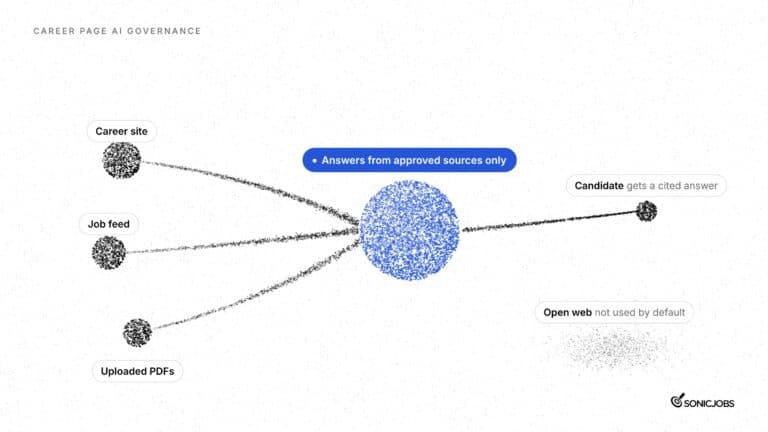
The knowledge CareerGPT draws on is defined by the employer. The job feed, the career site, uploaded documents such as PDFs, and any external sources the employer explicitly chooses to connect (such as Glassdoor, LinkedIn or Reddit) make up the full picture. If the employer has not connected a source, CareerGPT does not use it.
For TA readers encountering different terms in the market: “career agent,” “answer engine” and “conversational AI career agent” all describe software that interprets plain-language queries and returns contextually relevant results. SonicJobs describes its broader offering as an answer engine optimization platform for jobs and careers. CareerGPT is the part that operates on the employer’s own career site.
Why Conversational AI Job Search Matters in 2025
Candidate discovery has moved on. Job seekers now open ChatGPT, Claude, Google, and LinkedIn to describe exactly what they want in full sentences, rather than typing a job title and a city into a search box. According to research cited across recruiting industry sources, that keyword search box has not meaningfully evolved since roughly 2008, while the way people find information has changed completely.
The career site has not kept pace with that shift, and the data shows the cost.
SHRM’s 2025 data found that 29% of organizations using AI for recruiting deploy it for applicant communication, making it the third most common AI use case in hiring after job description writing (66%) and resume screening (44%). Demand for conversational tools in recruiting is not a future consideration. It is already the third most common application of AI in the function.
The keyword search problem is not just friction. Harvard Business School’s Hidden Workers research found that 88% of employers agree qualified high-skills candidates get screened out because they do not match the exact language in a job description. That figure rises to 94% for middle-skills candidates. Candidates who have the right experience but use different words to describe it do not appear in results. The system discards them quietly.
Mobile traffic adds another dimension. A majority of career site visits begin on a phone, and mobile users complete significantly fewer applications. A candidate who cannot find a relevant role quickly on a small screen is unlikely to stay and refine their search.
The content gap is the third pressure point. Across SonicJobs launch partners over roughly six weeks, around 30% to 35% of candidate questions had no clear answer in the employer’s own career site content. That is SonicJobs launch-partner data, not an industry benchmark, but it reflects a pattern: employers invest in bringing candidates to their career site, then cannot answer the questions those candidates actually ask.
Many hiring teams respond by increasing job board spend, assuming they need more applicants. The more common problem is that candidates are already arriving and leaving before they act. CareerGPT helps employers address the discovery and answer gap on their existing career site, so the candidates who do arrive have a better chance of finding what they need.
Common Challenges on Career Sites, and How Conversational AI Solves Them
Most career sites were built for a different kind of job seeker: one who knows the job title they want and types it into a search box. Today’s candidates often know what they need (the schedule, the location, the benefits) before they know what to call the role. That gap between how candidates think and how career site search works is where high-intent visits turn into exits.
Key Problems TA Teams Encounter
Problem 1: Keyword search returns zero results for natural-language queries.
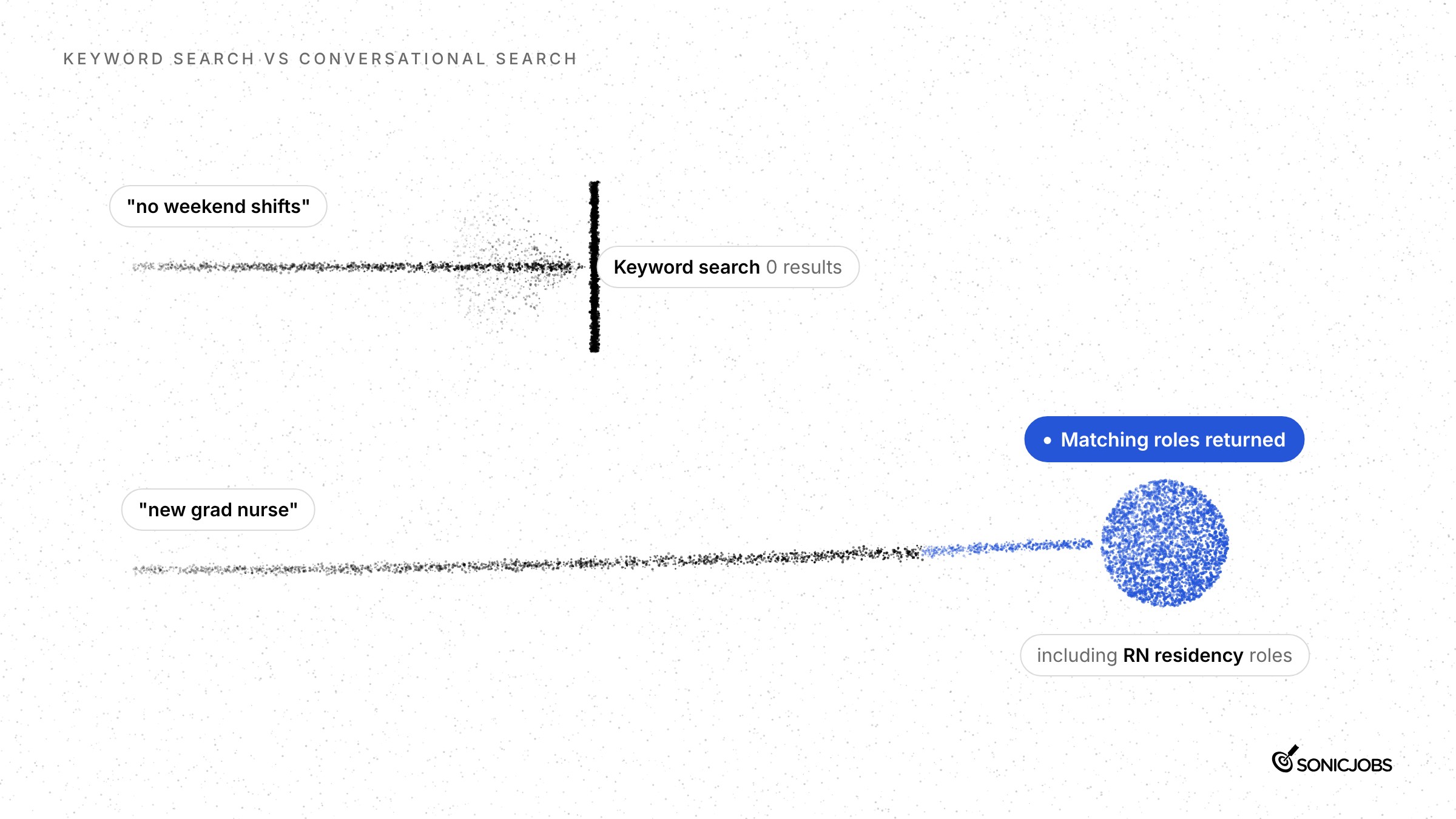
Rigid keyword search only works when the candidate already knows the right terminology. On one employer’s career site, searches for “remote jobs,” “new grad nurse” and “no weekend shifts” each returned no results. CareerGPT returned matching roles for all three. For “new grad nurse” specifically, it understood that RN residency and registered nurse roles were relevant, even though the candidate never used those exact terms. Candidates describing what they want in plain language should not walk away empty-handed.
Problem 2: Sites that redirect straight to the ATS discard high-intent visitors.
Many career sites have no job search of their own. When a candidate arrives and finds only a link to the applicant tracking system (ATS), they either follow it into an unfamiliar interface or leave. A candidate who has already navigated to the career site is already interested. Redirecting them before they can explore any roles removes the moment when engagement could actually happen.
Problem 3: Mobile traffic is high, but mobile completion rates are low.
A majority of career site traffic starts on mobile. Completing an application on a small screen, through a search box that requires precise keywords and filters that may not render cleanly, is a friction-heavy experience. When discovery itself is difficult, candidates stop before they reach the application. Conversational search removes the dependency on keyword precision and lets candidates describe what they want in the same way they would on any mobile chat interface.
Problem 4: More job board spend does not fix an on-site conversion problem.
Many hiring teams increase job board spend when applications fall short, assuming they need more candidates. Often the gap is further down the funnel. Candidates visit the career site and leave before taking action, and the employer never sees the candidates who almost applied. Employers already pay to bring candidates to their career site through employer brand campaigns, social and talent networks. A candidate who arrives and leaves unmatched is traffic the employer paid for and lost.
Problem 5: Traditional recruiting chatbots loop candidates instead of answering them.
Chatbots that serve the same overview paragraph to every follow-up question are a recognized problem. A candidate asks about the 401(k) match. They get the overview. They ask again, more specifically. Same paragraph. The chatbot tells them to check with a recruiter. Building these chatbots also takes significant time: by SonicJobs’ estimate, employers can spend 6-9 months reviewing hundreds of likely candidate questions and approving scripted answers for each one. That estimate reflects SonicJobs’ experience with launch partners, not an industry norm.
CareerGPT approaches this differently. It answers from the knowledge sources the employer connects, including the career site, the job feed and approved documents or pages. When a candidate follows up, it draws on that connected information to give a specific answer. If the employer has not provided the detail, CareerGPT says so rather than deflecting. And because it reads from live sources rather than a fixed script, it can go live in days once the job feed, content and approvals are in place.
What to Look for in Conversational AI Software for Your Career Site
The right solution fits your current career site and application journey without forcing a platform change. Seven criteria separate tools that genuinely deploy on existing sites from those that only promise to.
Must-Have Features for Career Site AI
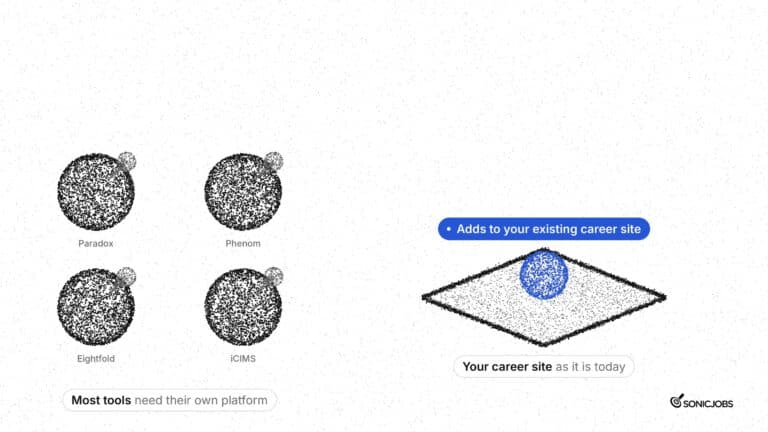
No site rebuild or ATS migration required. The tool should sit alongside your existing recruiting technology and pass candidates into the application journey you already have. If a vendor’s setup requires migrating your applicant tracking system (ATS) or rearchitecting the career site, that is a different project entirely, not a deployment.
Employer control over knowledge sources. You should be able to switch sources on or off individually: the career site, the job feed, uploaded PDFs, and approved external sources such as LinkedIn, Glassdoor or Reddit when you want to include them. The career agent should answer only from what you have connected, nothing else.
Source citations in every answer. When CareerGPT gives a candidate an answer, it shows where that answer came from. If the source is a web page, the candidate can follow the link. This keeps answers accountable to both sides of the conversation.
Candidate data stays with you. Conversations should not be shared with any AI lab or used to train AI models. This is a clear line, not a policy footnote.
Multilingual support. CareerGPT is available in Spanish, French, German, Mandarin, Hindi and more. Job descriptions stay in the language the employer published them in.
An analytics dashboard that shows specifics. Topic groupings (role search, location, benefits), date filters, job views, and application starts, all exportable. Summary counts alone are not enough; you need to read the actual questions candidates asked.
A realistic picture of time to live. Script installation takes minutes. Full rollout, which covers connecting the job feed, setting up content sources and clearing internal approvals, typically takes days. Any vendor quoting a single figure for both steps is collapsing an important distinction.
CareerGPT meets each of these criteria. The script can be added directly or via Google Tag Manager and does not touch the ATS. Employers choose every knowledge source and can turn them on or off individually. Answers include citations with links. Candidate conversations are not shared with ChatGPT, Claude or any other AI lab. The dashboard groups topics, filters by date range and shows which conversations led to job views and application starts, with data available to export. According to SonicJobs, 90% of CareerGPT conversations reached a relevant job result and 64% led to an application start.
How TA Teams Add Conversational AI to an Existing Career Site Using CareerGPT
Johns Hopkins Medicine is among the career sites where CareerGPT is live today. The typical buyers are talent acquisition leaders, recruitment marketing teams, and recruitment agencies. What they share is the same starting point: an existing career site they want to improve without replacing, and candidates who are not finding what they need through keyword search.
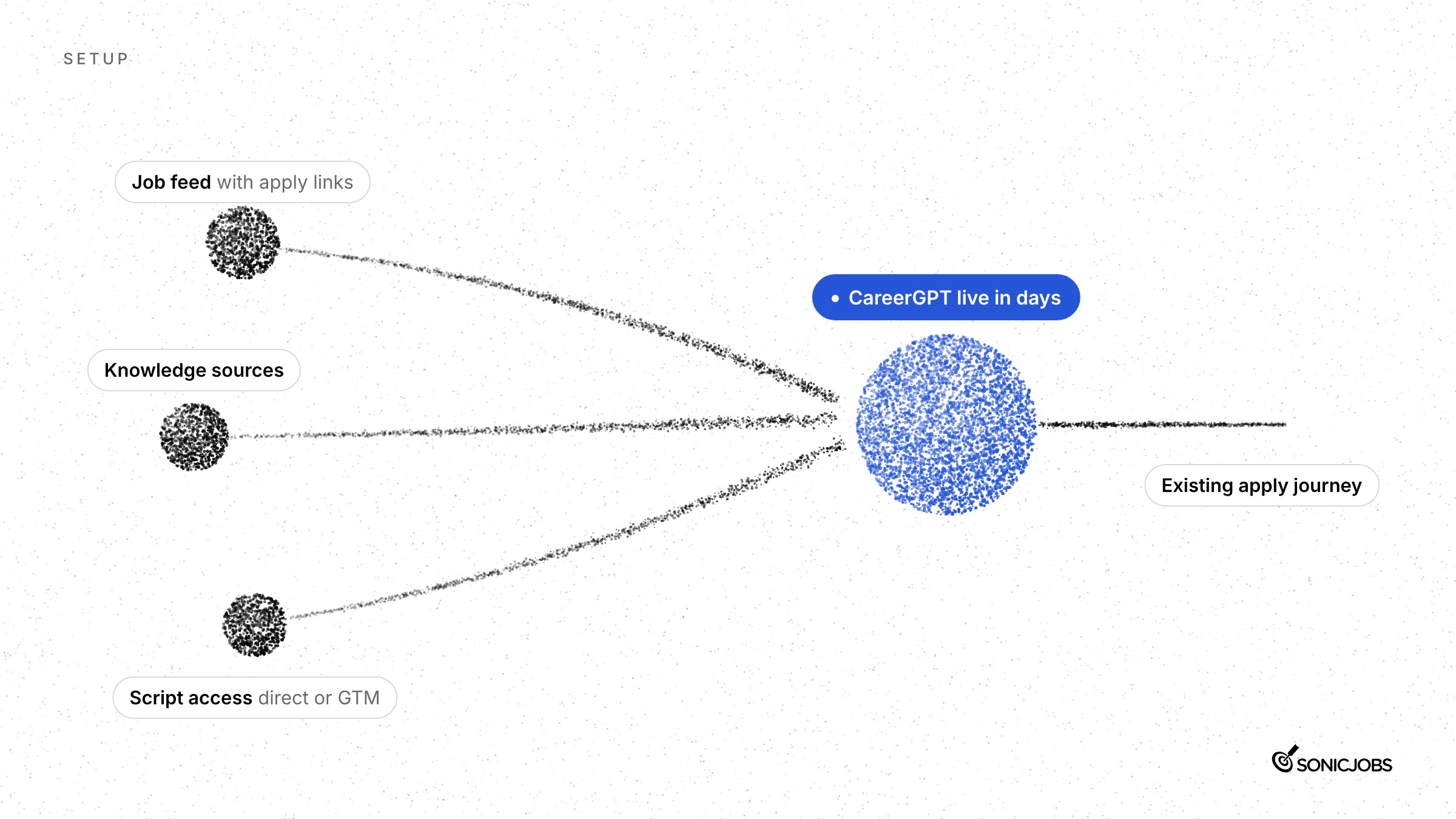
Setup requires three things: a job feed with the appropriate application links and tracking, the websites and documents CareerGPT should draw on to answer questions, and access to place the CareerGPT script on the career site. That script can go in directly or through Google Tag Manager, which means teams without direct code access can still deploy it without waiting on a development sprint.
Advanced Use Cases and Deployment Approaches
Once the script is placed, TA teams have several ways to position CareerGPT across the career site:
Floating widget. The primary implementation. CareerGPT appears as a widget candidates can open at any point during their visit. It does not interrupt the page; candidates choose when to engage.
Embedded in the search bar. For career sites that already have a search function, CareerGPT can sit inside it. Candidates use the same interface they expect and get conversational results instead of a keyword list.
Additional placements across the career site. Beyond the homepage and search bar, CareerGPT can be placed on job category pages, location pages, or anywhere a candidate might want to ask a follow-up question mid-browse.
Google Tag Manager deployment. Teams that do not have direct access to the site’s codebase can add the CareerGPT script through Google Tag Manager. This removes the dependency on a developer or a change-management queue.
Connecting approved external sources. CareerGPT answers from the knowledge sources the employer connects. Beyond the job feed and career site, employers can add LinkedIn, Glassdoor, Reddit, and the employer’s own YouTube and social media pages. The employer controls which sources are included. Uploaded documents such as PDFs let teams add information quickly without waiting on a site update.
Using the dashboard to find content gaps. Across SonicJobs launch partners over roughly six weeks, around 30% to 35% of candidate questions had no clear answer in the employer’s own career site content (SonicJobs launch-partner data). The CareerGPT dashboard groups conversations by topic, including role search, location, and benefits, filters by date range, and shows which conversations led to job views and application starts. Recruitment marketing teams use this to identify what to publish next.
Throughout all of this, CareerGPT does not host, complete, or automate applications. When a candidate is ready to apply, they move into the employer’s existing application process, exactly as it stands today. The apply flow does not change.
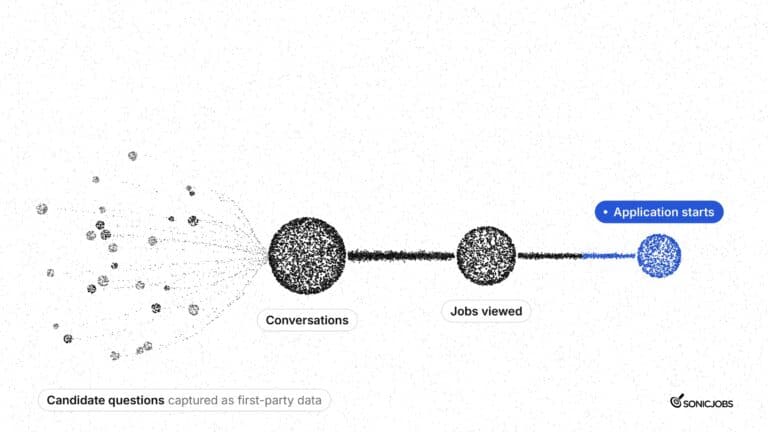
What CareerGPT does add is first-party intent data: the actual questions candidates ask, the roles they search for, and the topics they keep returning to. ChatGPT, Claude, and Gemini share no search data with employers. CareerGPT captures it at the point of highest intent, on the employer’s own site, in conversations the employer controls.
Best Practices and Expert Tips for Adding Conversational AI to Your Career Site
The steps below are grounded in CareerGPT’s setup requirements and what SonicJobs observed across launch partners. Each tip describes one concrete action and explains why it matters.
Tip 1: Get the job feed right before adding the script.
CareerGPT’s three core requirements are a job feed with correct application links and tracking, the knowledge sources it will draw on, and access to place the script on the career site. The job feed is the foundation. If application links are broken or tracking parameters are missing, candidates who are ready to apply will land somewhere that does not record their arrival. Confirm the feed is accurate and fully tagged before you install anything.
Tip 2: Identify and approve knowledge sources before go-live, this is where rollout time is actually spent.
Adding the CareerGPT script takes minutes. The days between script installation and launch are spent deciding which pages, documents and approved external sources CareerGPT will draw on, and getting sign-off on those choices. CareerGPT can pull from the career site, the job feed, uploaded PDFs, and selected approved sources including LinkedIn, Glassdoor, Reddit, and the employer’s own YouTube and social media pages. Resolving those approvals in advance keeps the schedule from slipping after the script is already live.
Tip 3: Set starter prompts from actual candidate behavior, not internal assumptions.
CareerGPT shows candidates suggested questions when they open the agent. Employers configure those prompts, and they can be updated at any time. Use them to reflect what candidates are genuinely asking: a location, a shift type, a benefits question. If the dashboard shows repeated questions about a particular role or location, make that a starter prompt. Prompts based on observed behavior get used; prompts based on what the team expected candidates to ask often do not.
Tip 4: Use Google Tag Manager if direct script access requires a ticket.
CareerGPT adds via a single script tag and can be deployed through Google Tag Manager if direct career site access goes through a queue. This avoids the delay of waiting on a developer to place a tag manually and keeps the rollout moving while content and approval work continues in parallel.
Tip 5: Review the dashboard on a regular cadence after launch.
The CareerGPT dashboard groups conversations by topic, role search, location, benefits, and filters by date range. It shows which conversations led to job views and which led to application starts, and the underlying data can be exported. A regular review (weekly at the start, monthly once patterns are clear) tells you where candidates are finding what they need and where they are not. That distinction matters more than overall volume.
Tip 6: Use the unanswered-question rate as a content audit signal.
Across SonicJobs launch partners over roughly six weeks, around 30% to 35% of candidate questions had no clear answer in the employer’s own career site content (SonicJobs launch-partner data, not an industry benchmark). When CareerGPT cannot answer, it says so. Those gaps are logged. Use them to identify which career site pages need expanding and which uploaded documents need updating. A candidate who asks about interview preparation and gets no answer is telling the employer exactly what to publish next.
A note on timelines and traditional chatbot workflows.
SonicJobs estimates that employers using traditional recruiting chatbots can spend 6-9 months reviewing hundreds of likely candidate questions and approving scripted answers for each one. CareerGPT works differently: it answers from the knowledge sources the employer connects, so the setup work is source selection and approval rather than scripting individual Q&A pairs. The rollout is faster, but the content audit work in Tip 6 above is how that advantage compounds over time.
Advantages of Adding Conversational AI Job Search to Your Career Site
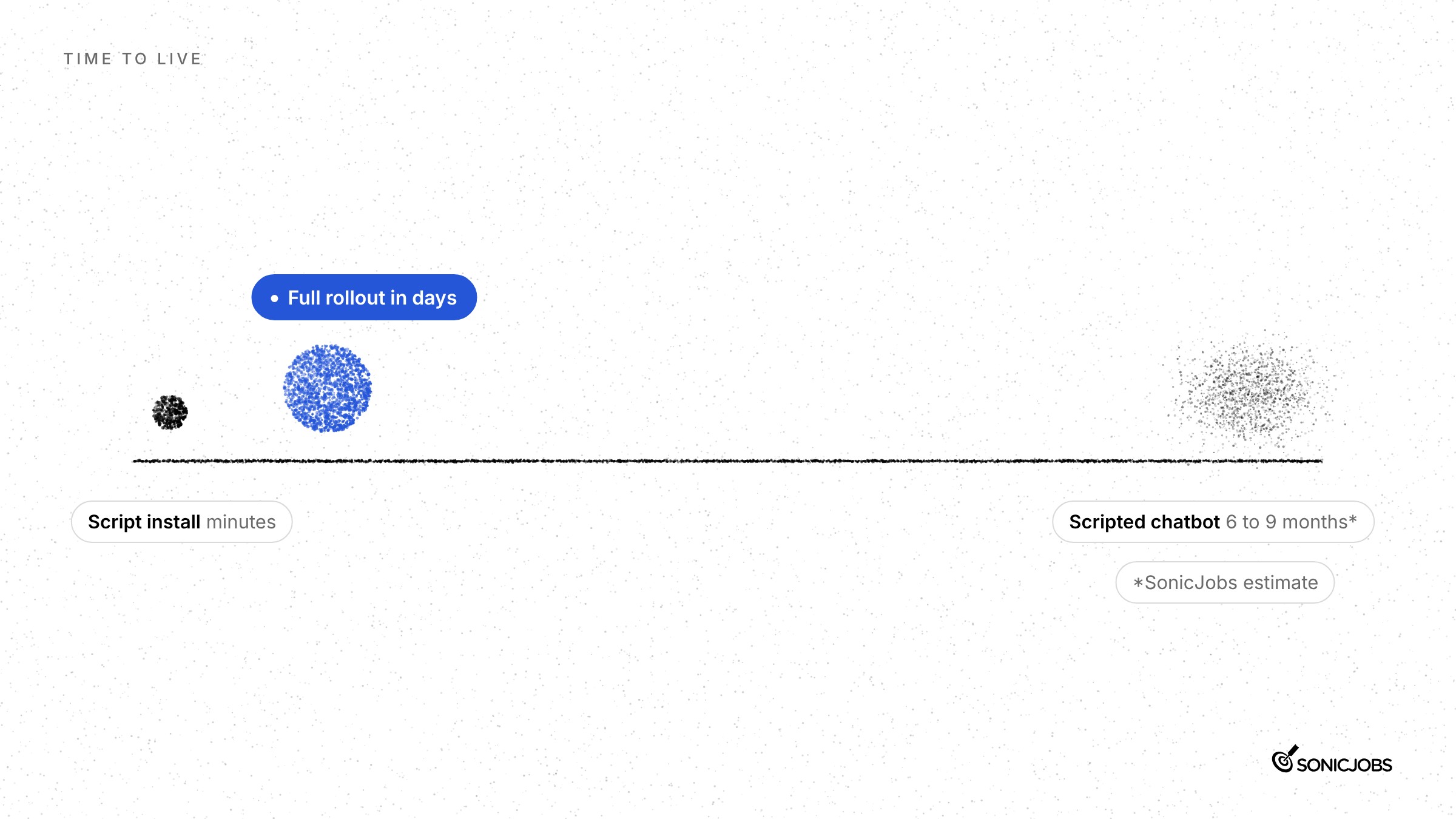
Speed to live. Adding the CareerGPT script takes minutes. Full rollout, covering the job feed, connected knowledge sources and internal approvals, can be completed in days. By comparison, SonicJobs estimates that employers setting up a traditional recruiting chatbot can spend 6-9 months reviewing hundreds of likely candidate questions and approving answers for each one. That estimate reflects SonicJobs’ experience with launch partners, not an established industry norm.
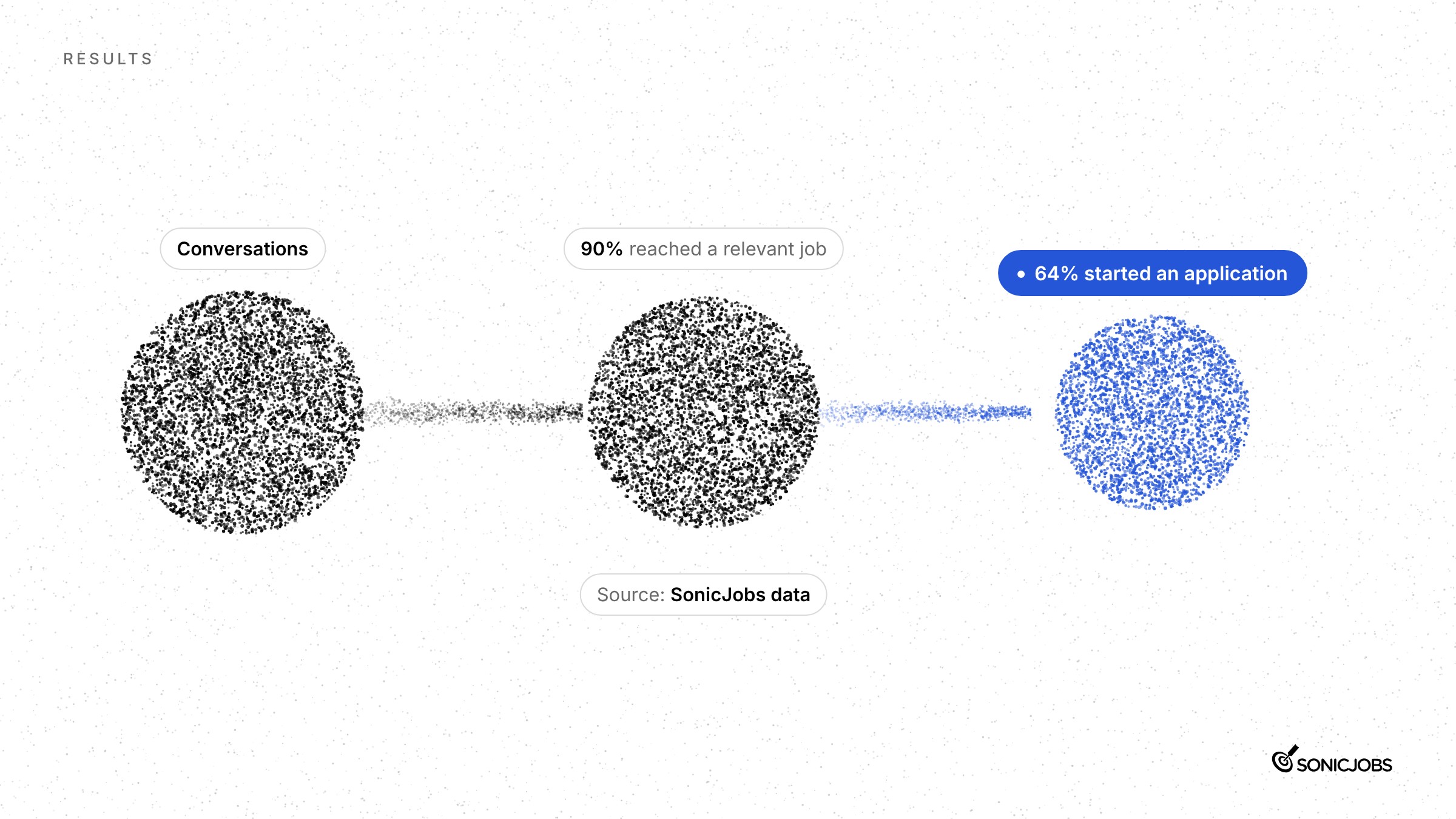
Conversion from visit to application start. Across CareerGPT conversations tracked by SonicJobs, 90% reached a relevant job result and 64% led to an application start. Both figures are attributed to SonicJobs.
First-party candidate intent data. CareerGPT records every candidate prompt: the roles, benefits and specific doubts candidates raise. ChatGPT, Claude and Gemini share no search data with employers, so this signal is not available from any external platform.
Multilingual reach, no extra development. CareerGPT supports Spanish, French, German, Mandarin, Hindi and additional languages without any additional development work. Job descriptions remain in the language the employer published them in.
No ATS migration or career site rebuild. CareerGPT works alongside the recruiting technology already in place. Candidates move into the employer’s existing application journey; nothing in that flow is replaced or disrupted.
Employer control over content and privacy. Employers choose which knowledge sources CareerGPT draws on, configure the starter prompts candidates see when they open it, and monitor conversations through the CareerGPT dashboard. Candidate conversations are not shared with any AI lab and are not used to train AI models.
How SonicJobs Simplifies Conversational AI Deployment for Employer Career Sites
SonicJobs sells two products together as one package: CareerGPT and Employer GPT Visibility. They address different problems and work at different points in the candidate journey. Neither is a feature of the other.
CareerGPT: a single script tag, no ATS dependency
CareerGPT is SonicJobs’ conversational AI career agent for employer career sites. Adding it to an existing site requires no career site rebuild and no applicant tracking system (ATS) migration. The employer adds a single script tag, either directly or through Google Tag Manager, and CareerGPT goes live in minutes rather than development sprints.
The knowledge sources are the ones the employer already controls: the career site, the job feed with application links and tracking, and uploaded documents such as PDFs. CareerGPT answers candidate questions from those connected sources and hands candidates directly into the application journey the employer already has in place. Applications go to the employer’s own site.
After launch, the CareerGPT dashboard records what candidates ask, which searches return no results and where the career site has no answer. That conversation data is available to review and export, so recruiting and content teams can see candidate intent rather than relying only on aggregate metrics. Johns Hopkins Medicine is one employer with CareerGPT live on its career site.
Employer GPT Visibility: measuring how the employer appears on ChatGPT, Claude and Gemini
Candidates ask AI assistants specific questions in full sentences, and those platforms share none of that data with employers. An employer searching for itself gets a personalized result because the assistant knows who is asking. SonicJobs Employer GPT Visibility addresses that gap directly.
Employer GPT Visibility is a separate SonicJobs product. It uses browser agents that ask candidate questions on ChatGPT, Claude and Gemini anonymously, the way a real candidate would, so results are not shaped by who is asking. Queries run repeatedly, giving employers trend data over time rather than a single snapshot. For each query the employer sees its appearance rate, citation rate and ranking, which competitors appear and which sources those answers cite, along with a screenshot and video of the agent asking the question and receiving the answer.
Employers use the findings to identify content gaps, build pages on their career site that address those gaps and re-test to see whether visibility changes. SonicJobs Employer GPT Visibility is not a career agent and does not operate on the employer’s career site. It measures what happens on public AI platforms after a candidate leaves.
Key Takeaways and How to Get Started with CareerGPT
Conversational AI job search can be added to any existing career site. No rebuild, no replatforming, no applicant tracking system (ATS) migration. CareerGPT works alongside the recruiting technology already in place and hands candidates into the application journey already on your site.
Three things are needed to get started: a job feed with application links and tracking, the websites and documents CareerGPT should draw on to answer candidate questions, and access to add the script to the career site. That is the full setup requirement.
The script installs in minutes. Full rollout, covering feed connection, knowledge source review, testing, and sign-off, takes days, not weeks or months. According to SonicJobs data, 90% of CareerGPT conversations reached a relevant job result, and 64% led to an application start.
Once live, the CareerGPT dashboard records every candidate question, showing the roles, benefits, locations, and concerns candidates actually bring to the conversation. That is first-party intent data. ChatGPT, Claude, and Gemini share none of it with employers. CareerGPT does.
To see it running on a career site and ask questions about your own setup, book a demo with SonicJobs.
FAQs About Conversational AI Job Search on Career Sites
What is a conversational AI career agent and how is it different from a recruiting chatbot?
CareerGPT is SonicJobs’ conversational AI career agent: it answers from the knowledge sources the employer connects and handles follow-up questions with specific detail rather than repeating a generic overview. Traditional recruiting chatbots loop on pre-written scripts. Ask a chatbot about a 401(k) match, and it serves the same paragraph again, then directs you to a recruiter. CareerGPT is built to give the candidate the detail they asked for. If the employer has not provided that detail, CareerGPT says so rather than redirecting.
How do I add conversational AI job search to my career site without rebuilding it?
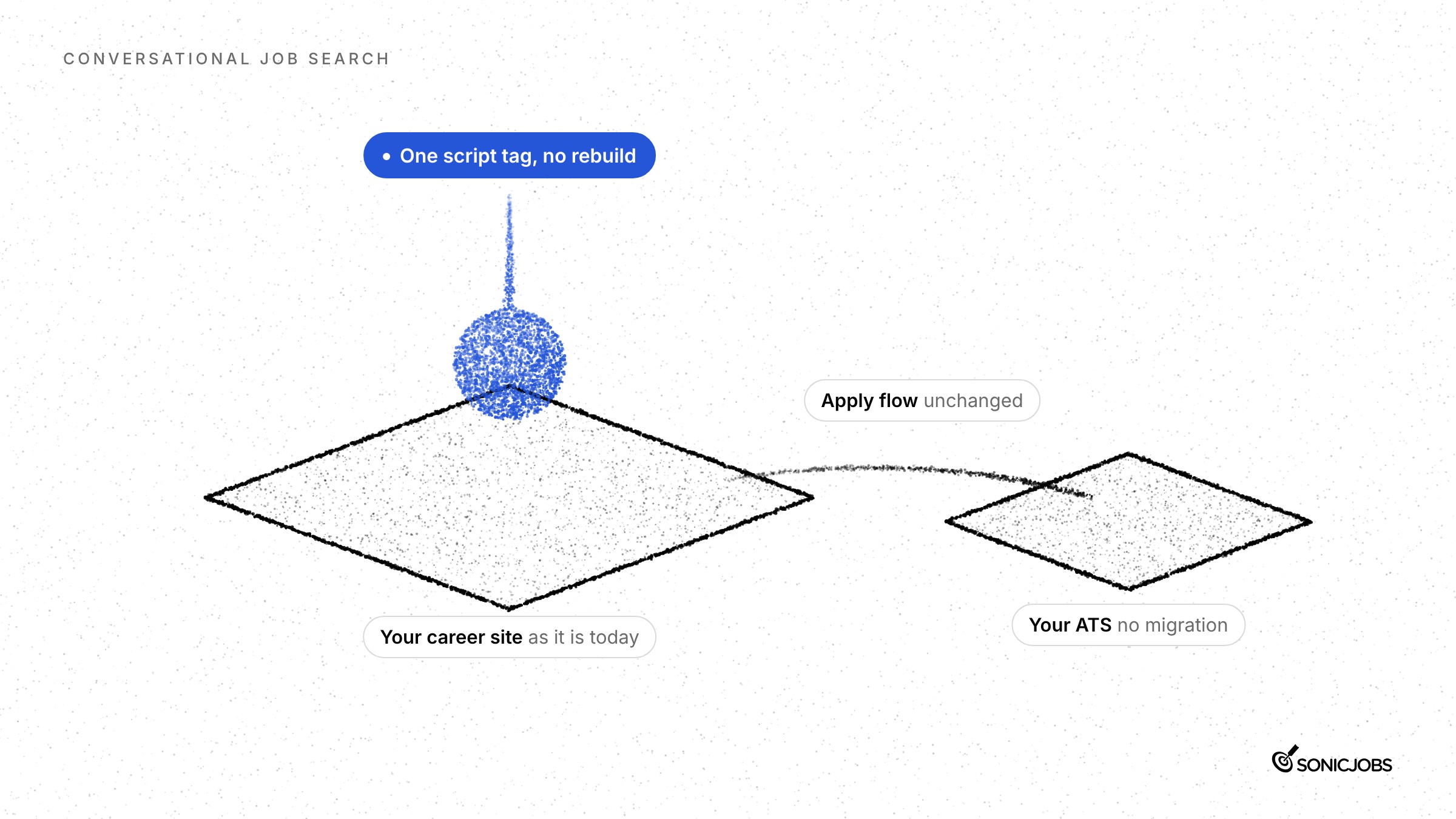
CareerGPT adds to an existing career site through a single script tag, which can be deployed directly or via Google Tag Manager. No career site rebuild is required, and there is no applicant tracking system (ATS) migration or integration involved. CareerGPT works alongside the recruiting technology already in place and hands candidates into the existing application journey. The career site structure, the ATS, and the apply flow all stay exactly as they are.
What does CareerGPT need to go live on an existing career site?
CareerGPT has three core setup requirements. First, a job feed that includes the appropriate application links and tracking. Second, the websites and documents CareerGPT should draw on to answer candidate questions, such as the career site itself and any supporting PDFs. Third, access to add the CareerGPT script to the career site. SonicJobs works with employers to connect these sources before launch so that answers are accurate from day one.
How long does it take to add CareerGPT to a career site?
Adding the CareerGPT script to an existing career site takes minutes. Full rollout, meaning the job feed connected, knowledge sources configured, answers reviewed and approvals complete, typically takes days. SonicJobs separates these two timelines deliberately: script installation is fast, but the time to go live depends on how quickly the job feed, content sources, and internal sign-offs are ready. Employers who have their content and approvals organized can move from script to live in a short window.
How does CareerGPT connect to our existing job feed and application process?
CareerGPT uses the employer’s job feed to match candidates with relevant roles based on their questions. When a candidate is ready to apply, they continue through the employer’s existing application process. CareerGPT does not host, complete, or automate applications. The apply link in the job feed points to wherever the employer’s applications currently go, so candidates move into the same journey they would have followed without CareerGPT in place.
What knowledge sources can CareerGPT use to answer candidate questions?
CareerGPT answers only from the sources the employer connects. Core sources are the career site, the job feed, and uploaded documents such as PDFs. Employers can also connect selected approved external sources, including LinkedIn, Glassdoor, Reddit, and the employer’s own YouTube and social media pages. The employer decides which external sources to include. Uploaded documents let employers share information with candidates quickly without waiting for a website update to go through the normal publishing process.
What candidate data and insights does CareerGPT provide to employers?
The CareerGPT dashboard groups conversations by topic, including role search, location, and benefits, and filters by date range. Employers can see which conversations led to job views and which led to application starts. Conversation records are exportable so recruiting teams can review the actual questions and answers, not just summary counts. Across SonicJobs launch partners over roughly six weeks, around 30% to 35% of candidate questions had no clear answer in the employer’s own career site content, which is SonicJobs launch-partner data, not an industry benchmark.
Is CareerGPT compatible with our existing ATS?
CareerGPT requires no ATS integration and no ATS migration. It works alongside the employer’s existing recruiting technology without connecting to or modifying the ATS. The job feed provides the role data CareerGPT needs for matching, and the application links in that feed point to wherever the employer’s applications are already handled. Employers keep their current ATS and apply flow intact. CareerGPT’s role ends when the candidate moves into the application journey the employer already has in place.
How does SonicJobs Employer GPT Visibility relate to CareerGPT?
Employer GPT Visibility is a separate SonicJobs product, sold as a package with CareerGPT, not a feature of it. CareerGPT operates on the employer’s own career site and shows what candidates ask there. Employer GPT Visibility measures how the employer appears on ChatGPT, Claude, and Gemini when candidates ask hiring-relevant questions, compared with the competitors the employer names. It uses browser agents that ask each question anonymously, the way a real candidate would, and runs queries repeatedly so employers see performance over time rather than a single snapshot.
What languages does CareerGPT support?
CareerGPT is available across countries and languages, including Spanish, French, German, Mandarin, and Hindi. Job descriptions stay in the language the employer originally published them in, so CareerGPT does not translate role content without the employer’s involvement. Candidates can ask questions in their preferred language and receive answers drawn from the employer’s connected knowledge sources. SonicJobs designed CareerGPT to support employers hiring across multiple markets from a single career site implementation.
How do employers control what CareerGPT says to candidates?
Employers control CareerGPT by switching knowledge sources on or off, setting the starter prompts candidates see when they open the agent, and monitoring conversation records. CareerGPT answers only from the sources the employer has connected, so adding or removing a source directly changes what it can say. Candidate conversations are not shared with ChatGPT, Claude, or any other AI lab, and they are not used to train AI models. Privacy is built into the architecture: CareerGPT is grounded in employer-approved content only.
Which employers are using CareerGPT today?
CareerGPT is live across a number of career sites. Johns Hopkins Medicine is a named customer using CareerGPT on its career site. SonicJobs does not publish a full list of current employers by name. Across SonicJobs launch partners, 90% of CareerGPT conversations reached a relevant job result and 64% led to an application start, figures SonicJobs attributes to its own data. Employers across healthcare, large enterprise and other sectors have connected CareerGPT to existing career sites without rebuilding their sites or migrating their ATS.